 Verso Suite
 Verso Manager
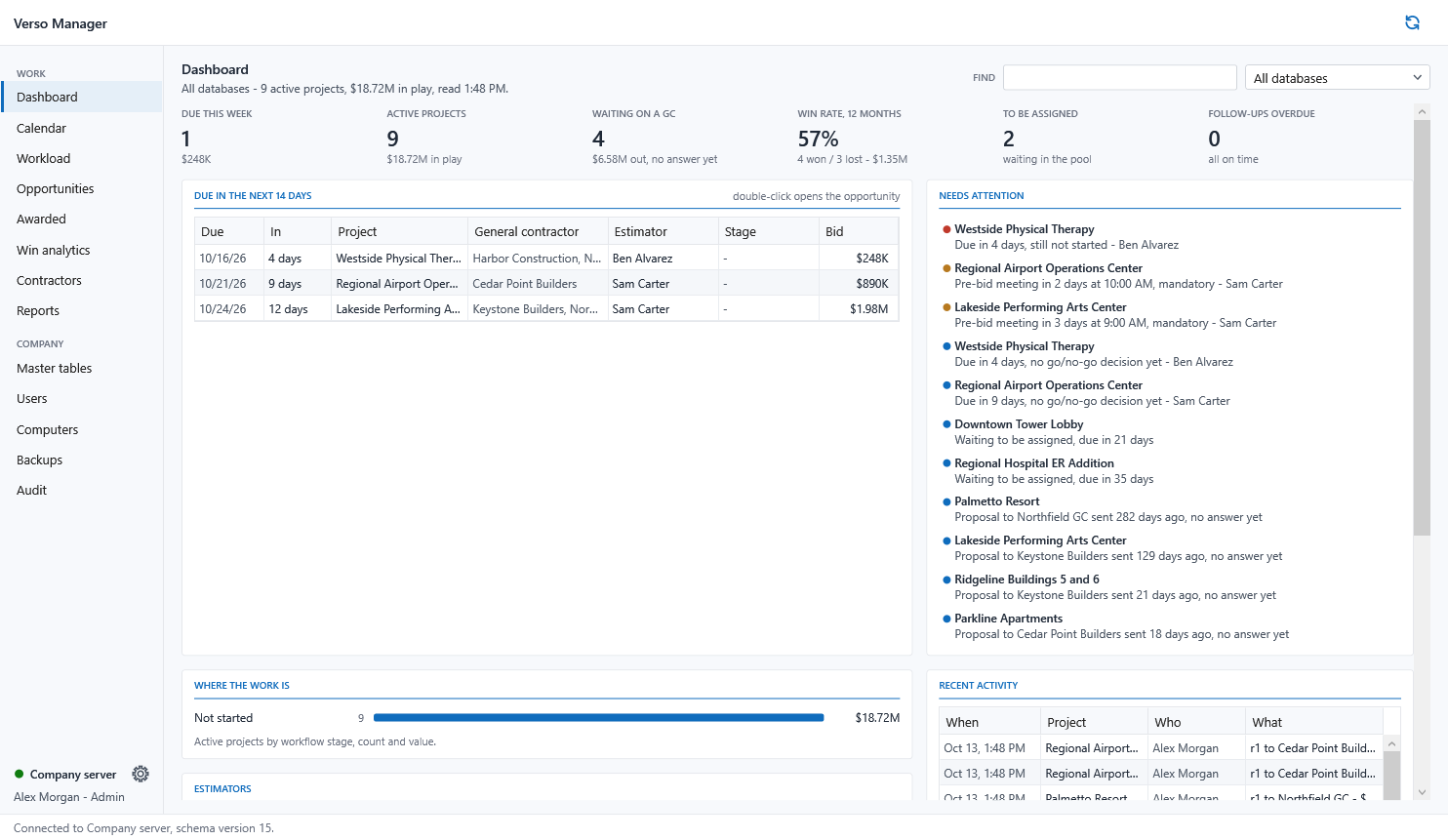
The office's desk over every estimator's workVerso Manager in three minutes: from the first opportunity to the awarded job - dashboard, assigning, calendar and workload, proposals, win analytics, the award, backups, the server.
WHAT IT DOES
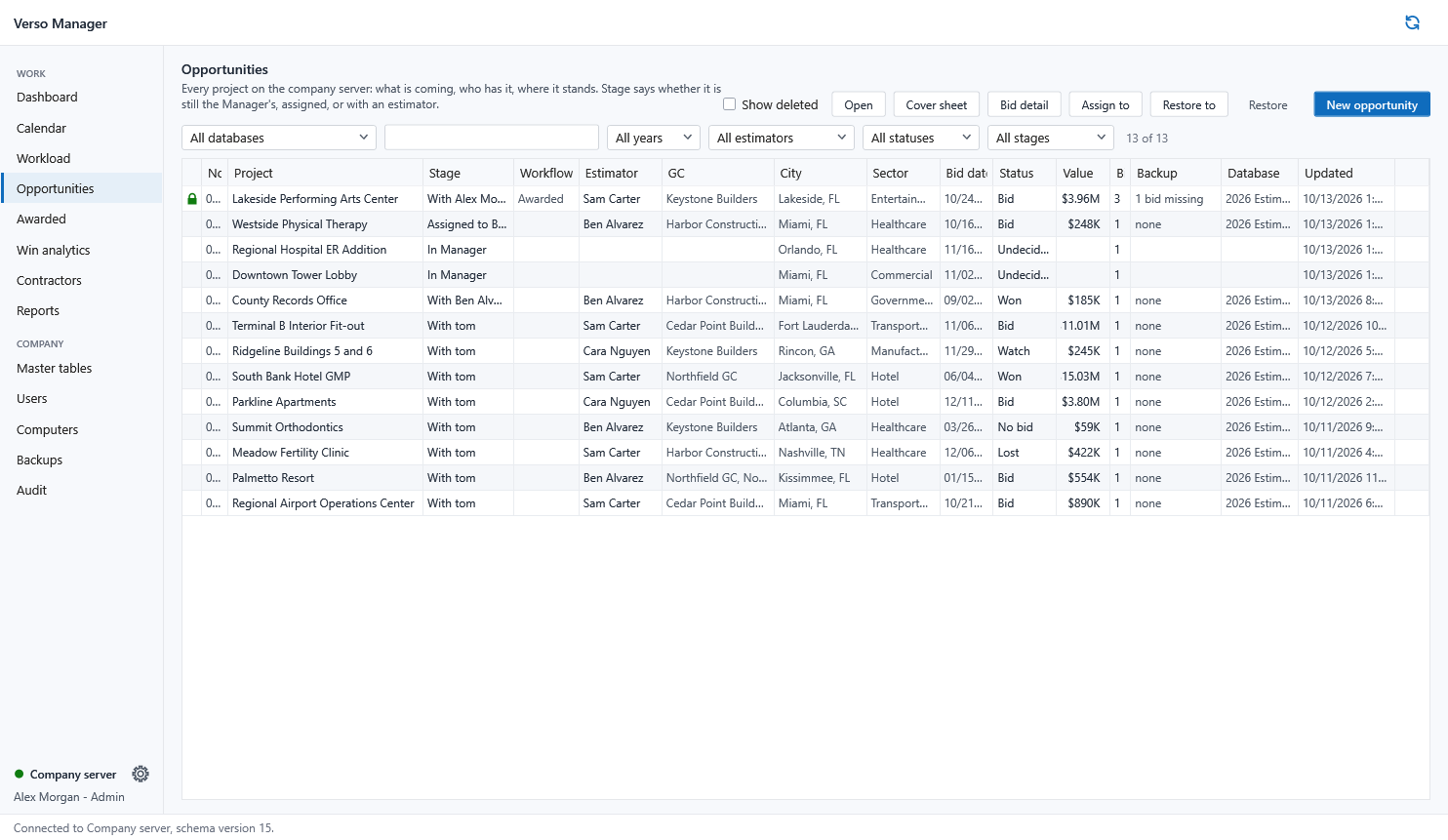
- Opportunities: every project on the server, its stage, its estimator, its padlock.
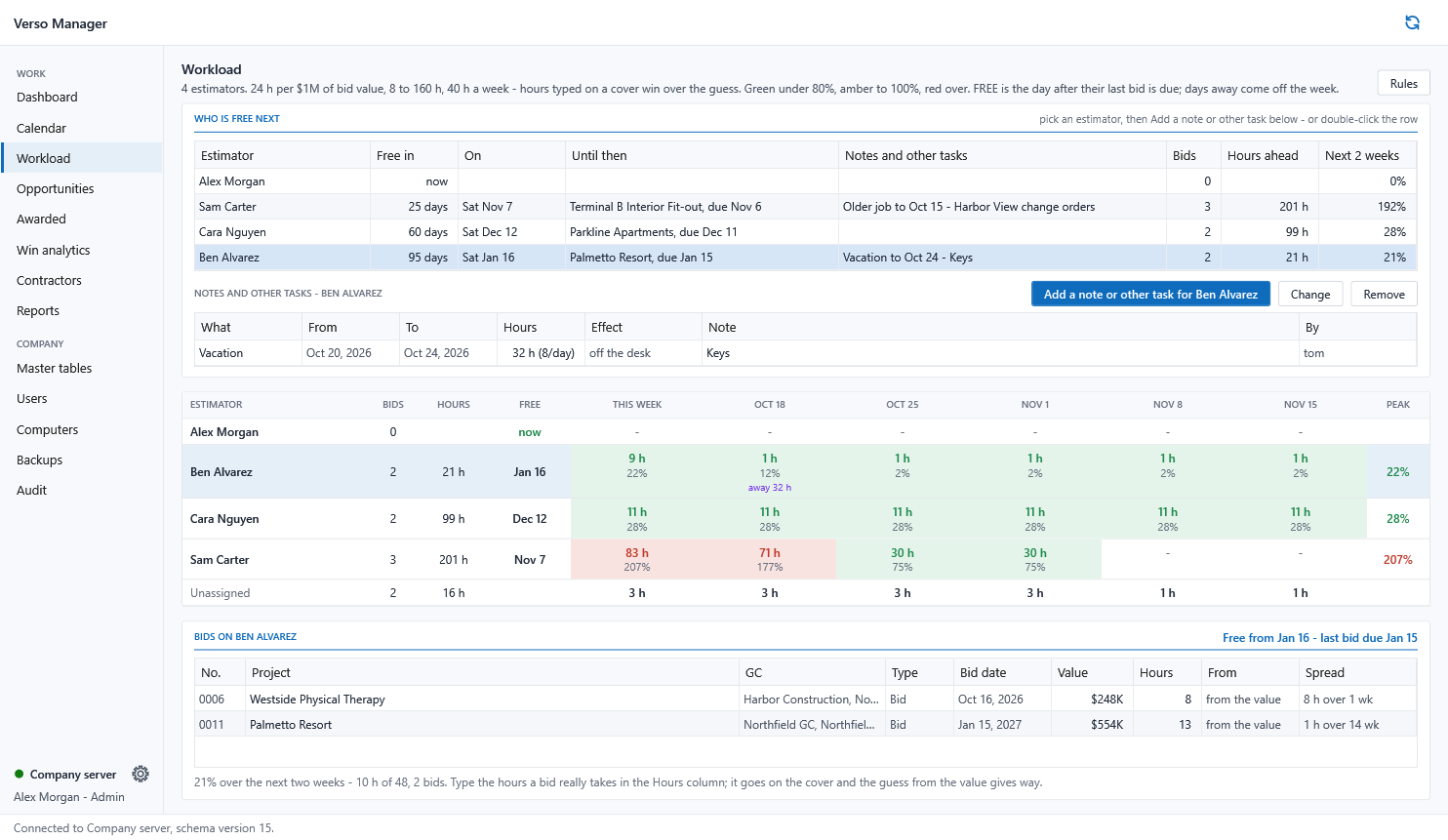
- Assign with the workload in view; the estimator's Plans says so within a minute.
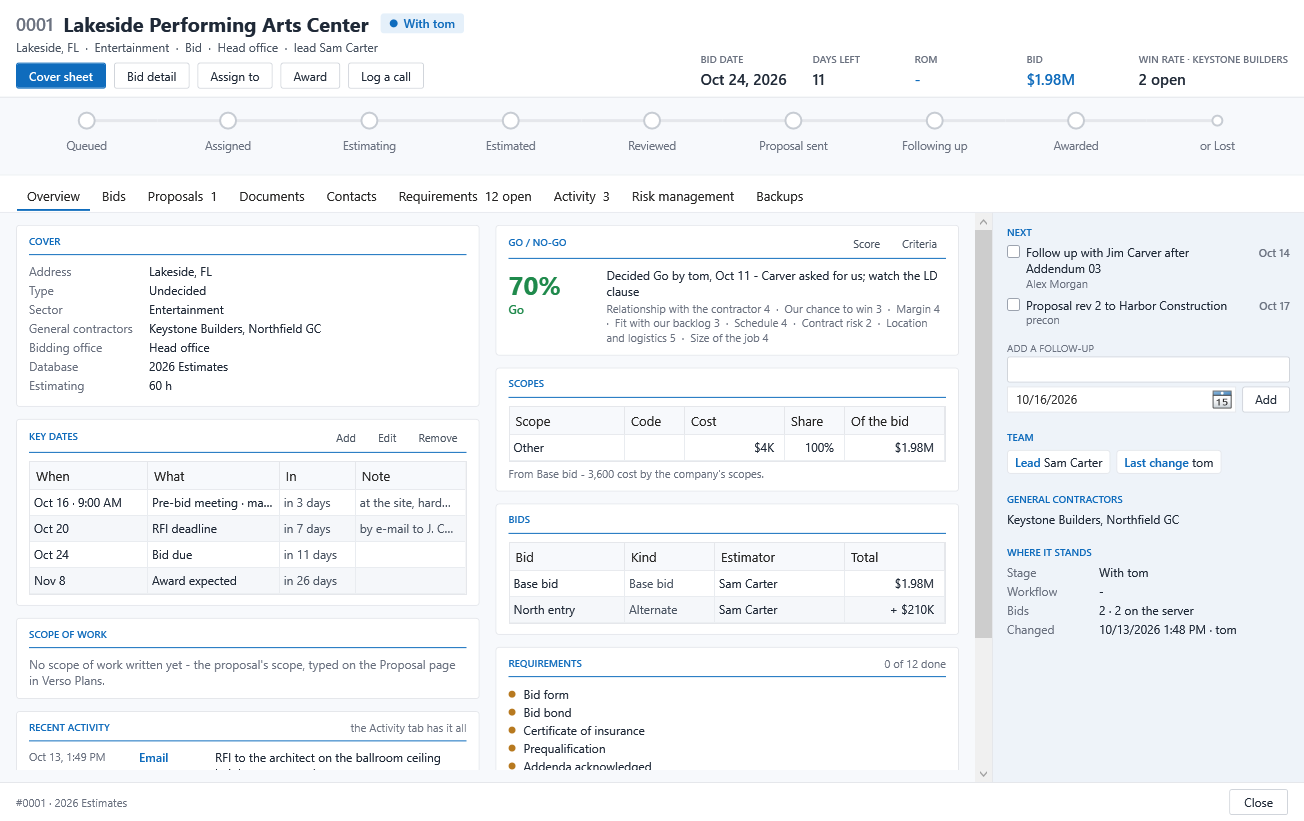
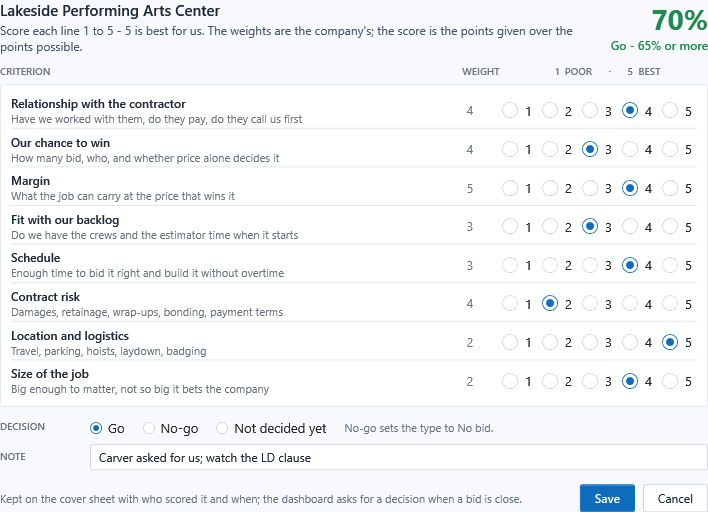
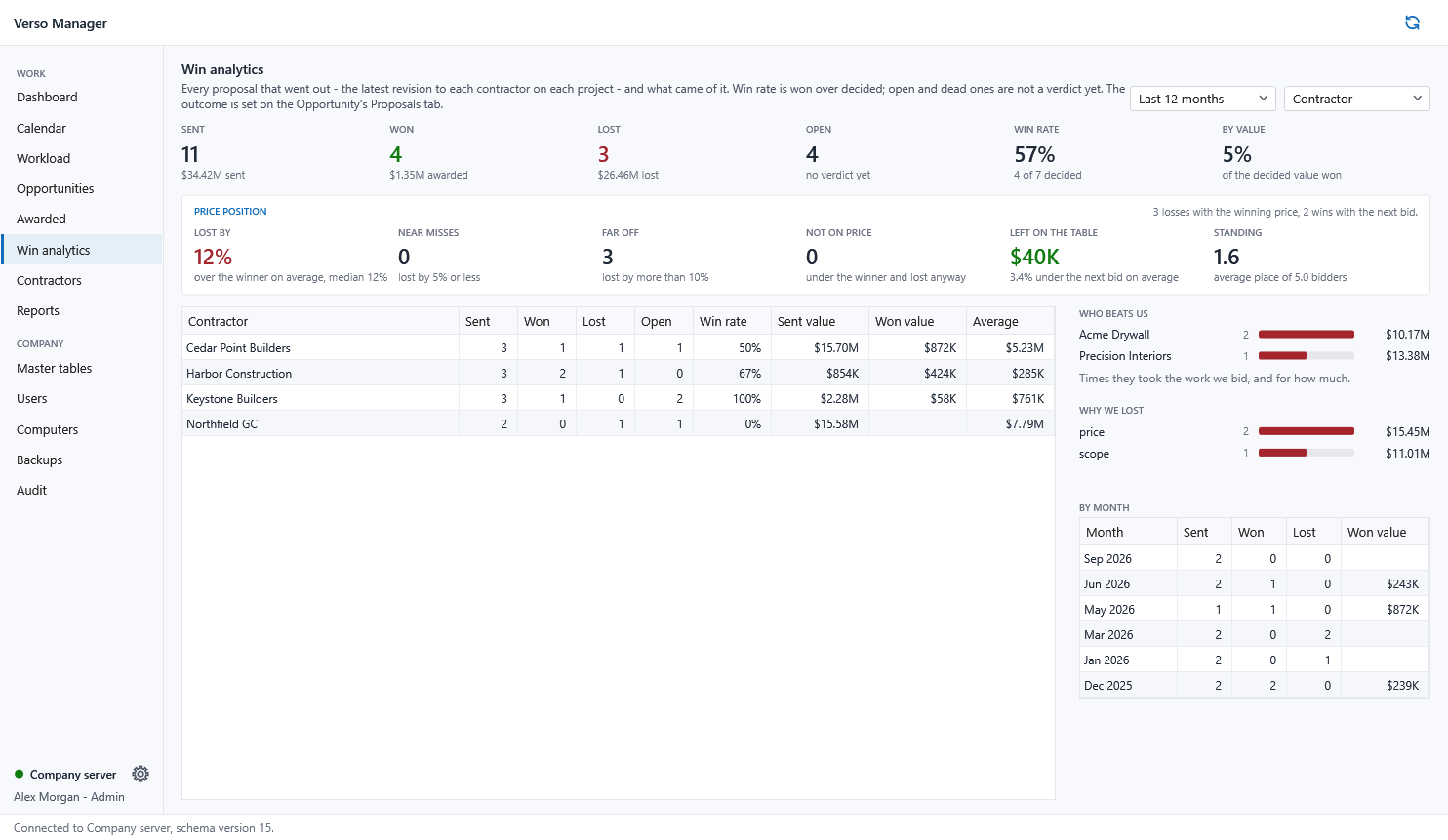
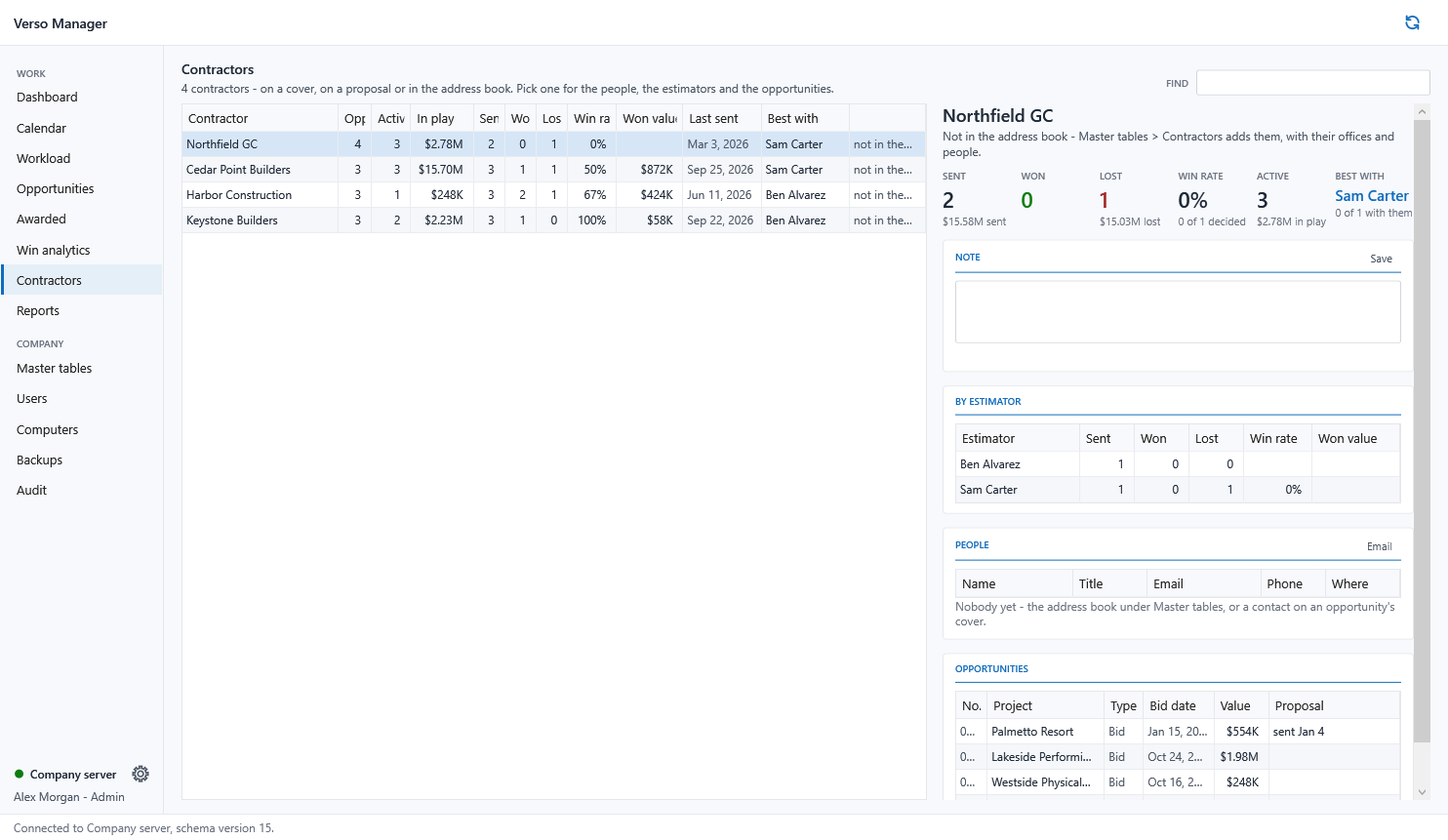
- Calendar and key dates, go or no-go scoring, contractors and win rates.
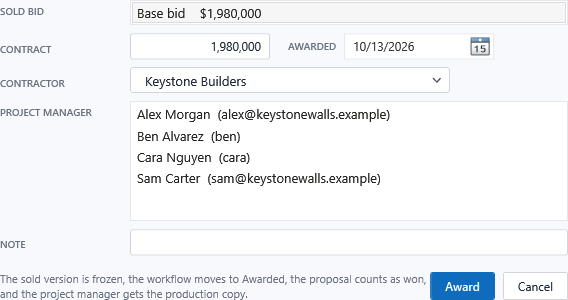
- Award: the sold version frozen, the production copy handed to whoever runs the job, the job cost kept.
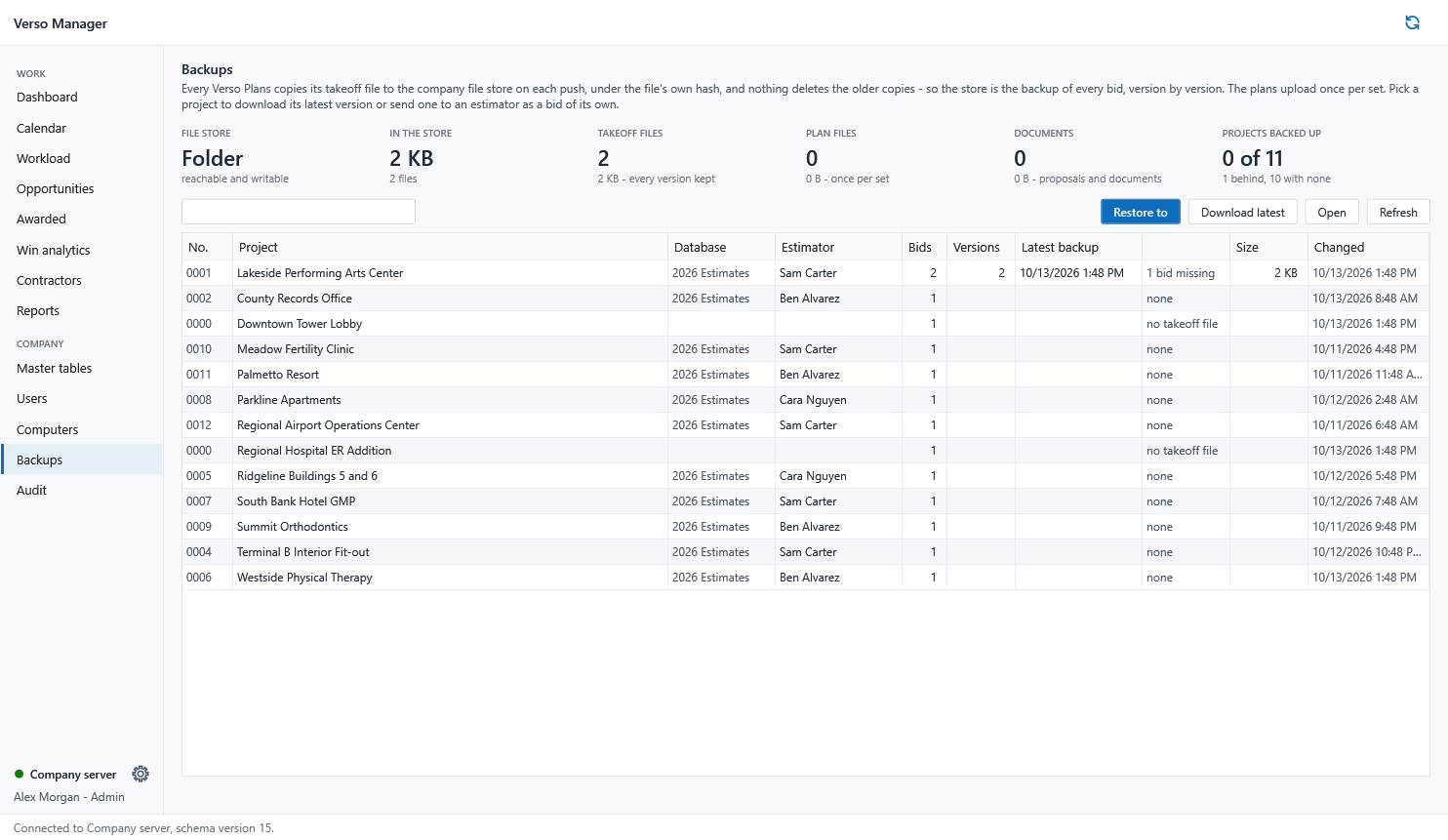
- Backups: every version of every bid in the company file store; restore any to any estimator.
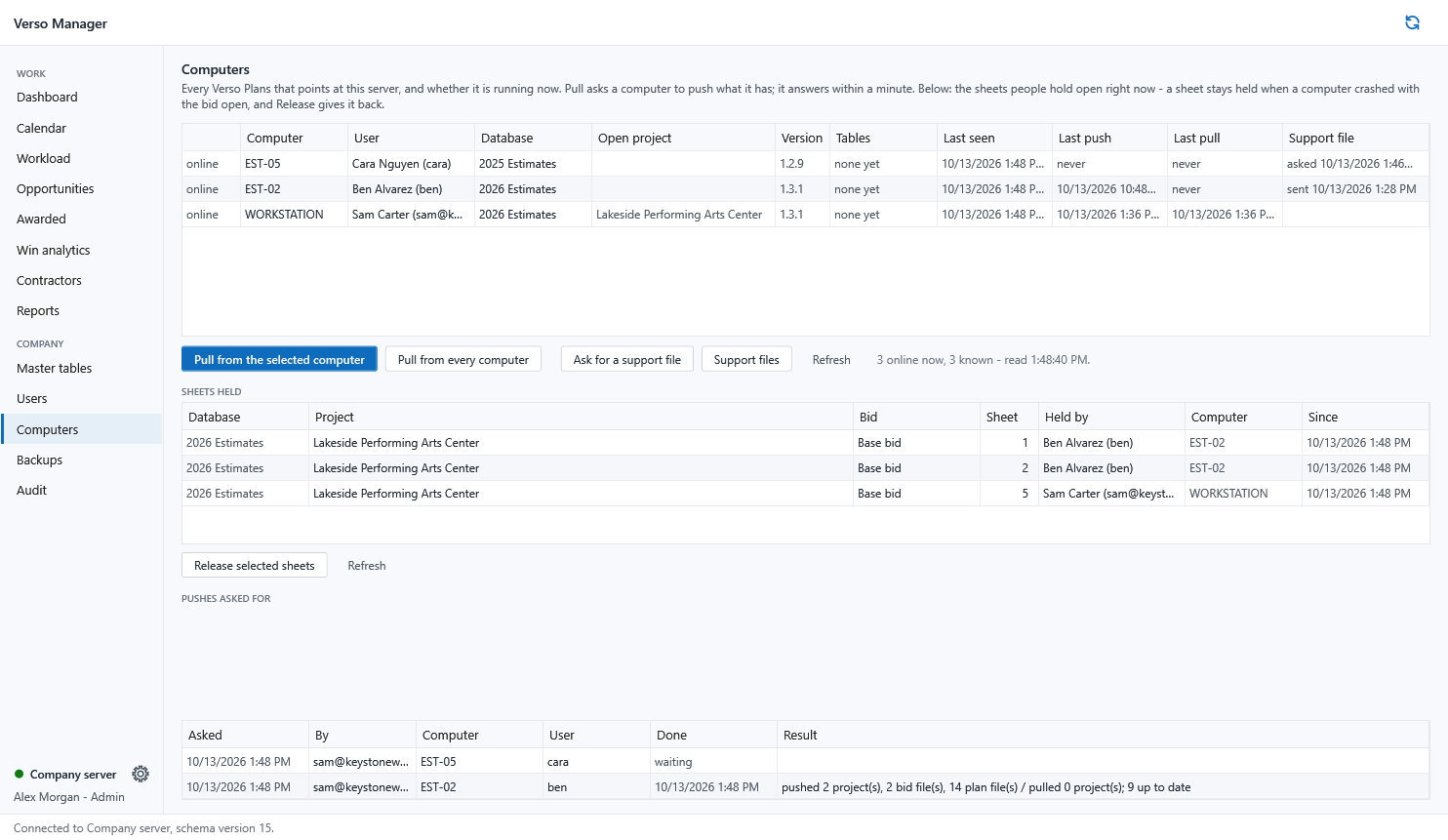
- Users, roles, computers, support files, an audit trail.
THE SERVER
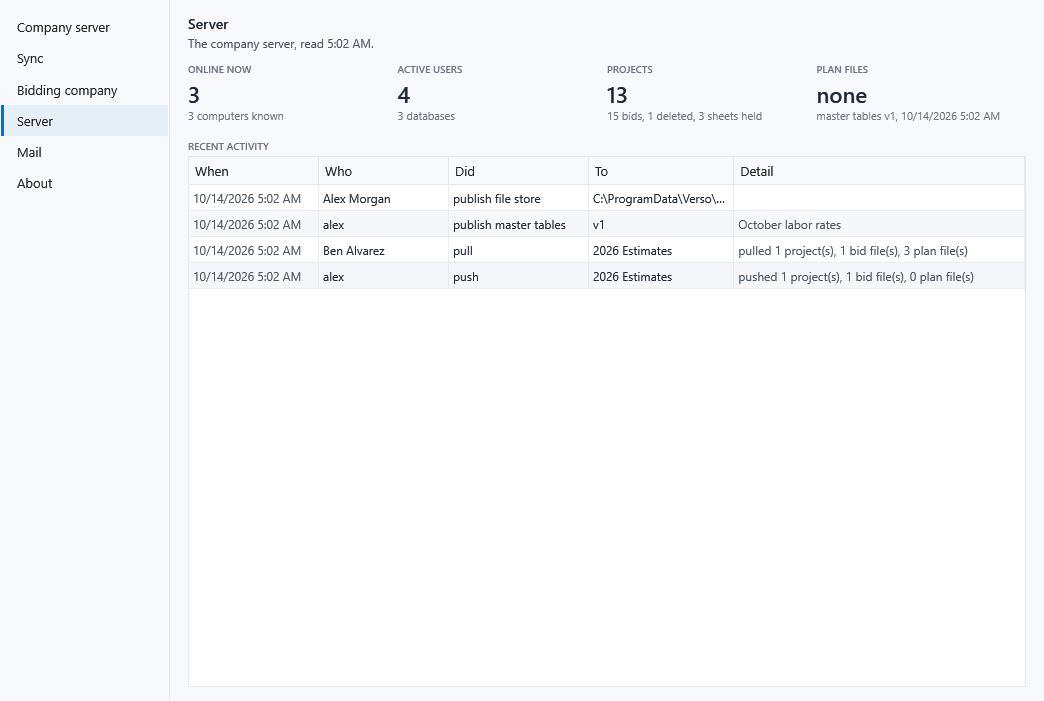
- SQL Server in the office or Azure SQL; a shared folder or an Azure container for the files.
- The Manager creates and upgrades the schema. Verso Plans never needs to.
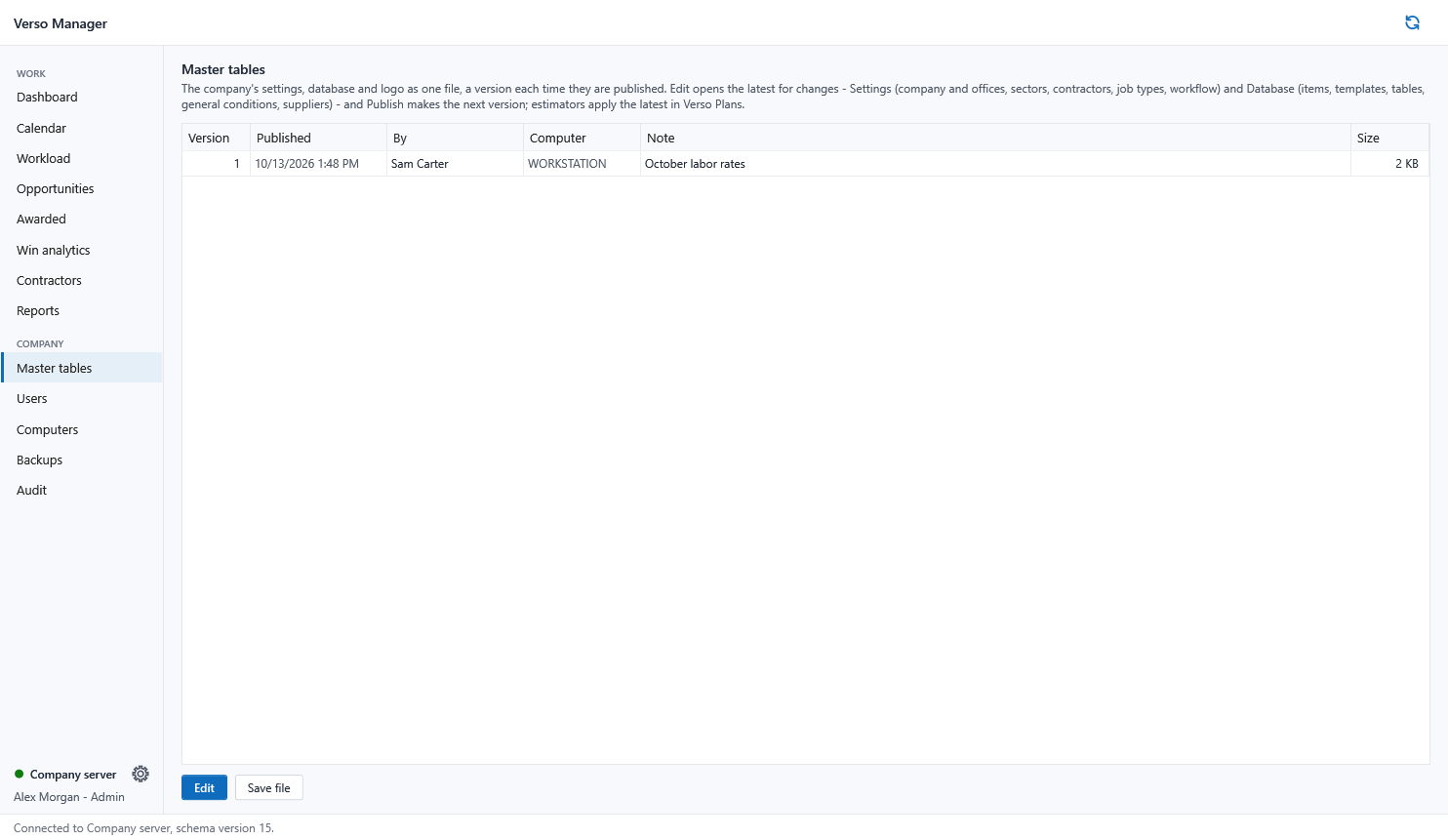
- Master tables published once, adopted on every desk.
SCREENSHOTS
THE RECORD - WHAT MAKES IT ONE SYSTEM INSTEAD OF TWO PROGRAMS
| Stage | Who | What is kept | Where it shows |
|---|---|---|---|
| Opportunity | Precon | Cover, contacts, key dates, go or no-go score | Manager Opportunities, Dashboard, Calendar |
| Assigned | The office | Who estimates it, which database, the Type decided | Plans header chip, workflow at Assigned |
| Estimating | Estimator | Plans, takeoff, estimate, quotes, revisions | Every push: the cover and the takeoff file by hash |
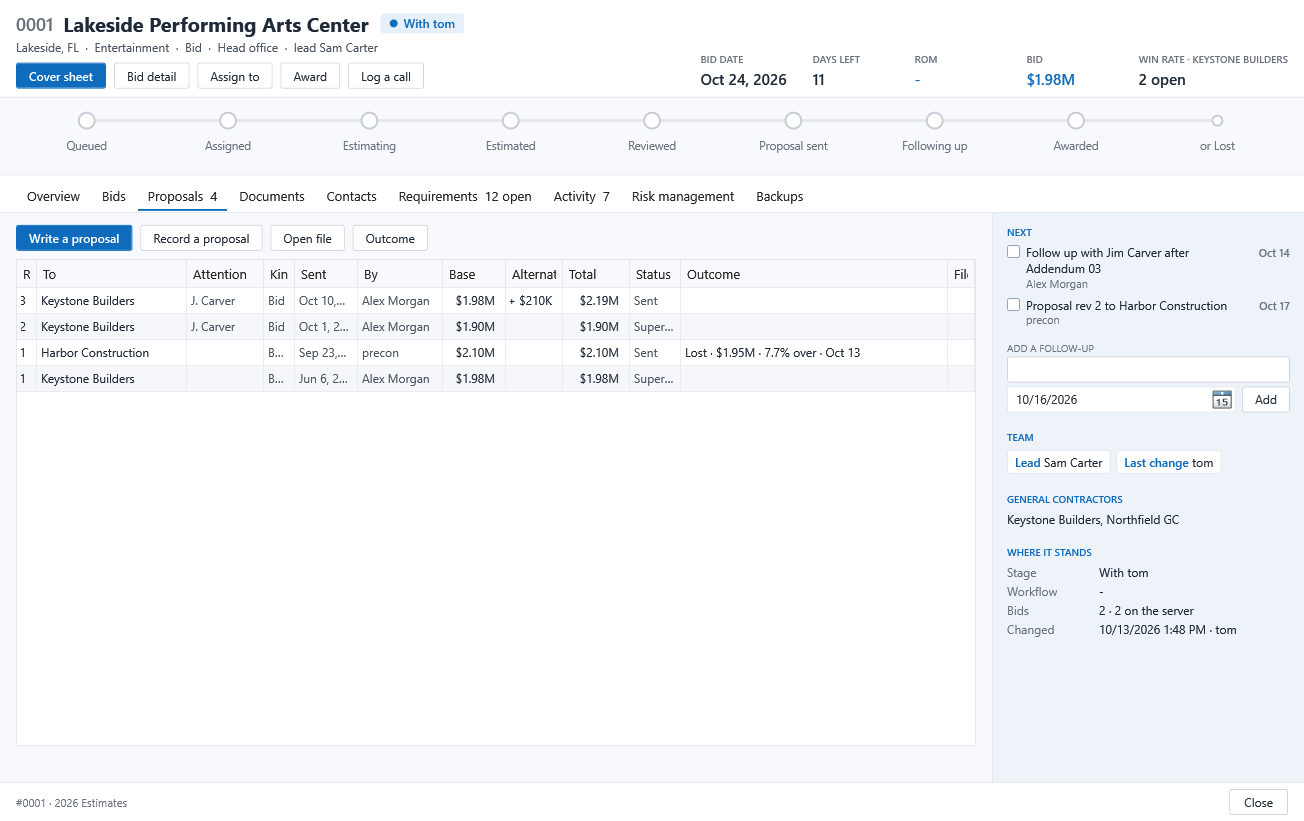
| Proposal sent | Estimator | The bid locked; the proposal filed with its outcome | Manager Proposals tab, Win analytics |
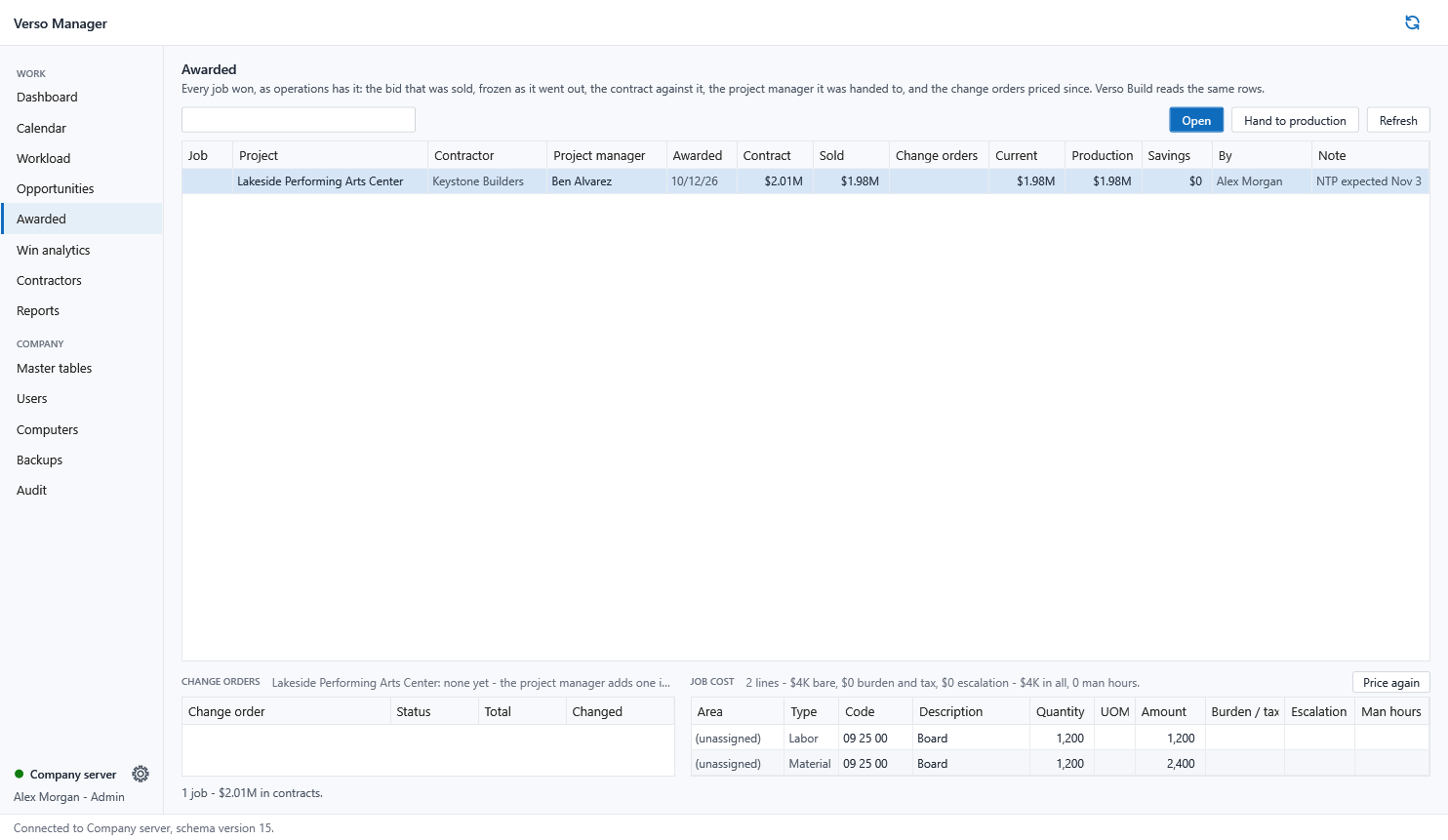
| Awarded | Either desk | The sold version frozen; contract, contractor, note; job cost lines | Awarded page, green padlock on both lists |
| Production | Operations | A full open copy of the sold bid for buyout and savings; change orders beside it | Awarded page: sold against production; Verso Build |
HELP
Setting up the company server
- Settings, Server: name the SQL Server, or an Azure SQL server, and the database. Press Test, then Create: the tables are made, or brought up to date after an upgrade.
- Settings, File store: a shared folder every estimator can reach, or an Azure storage container with its access key typed once on this computer.
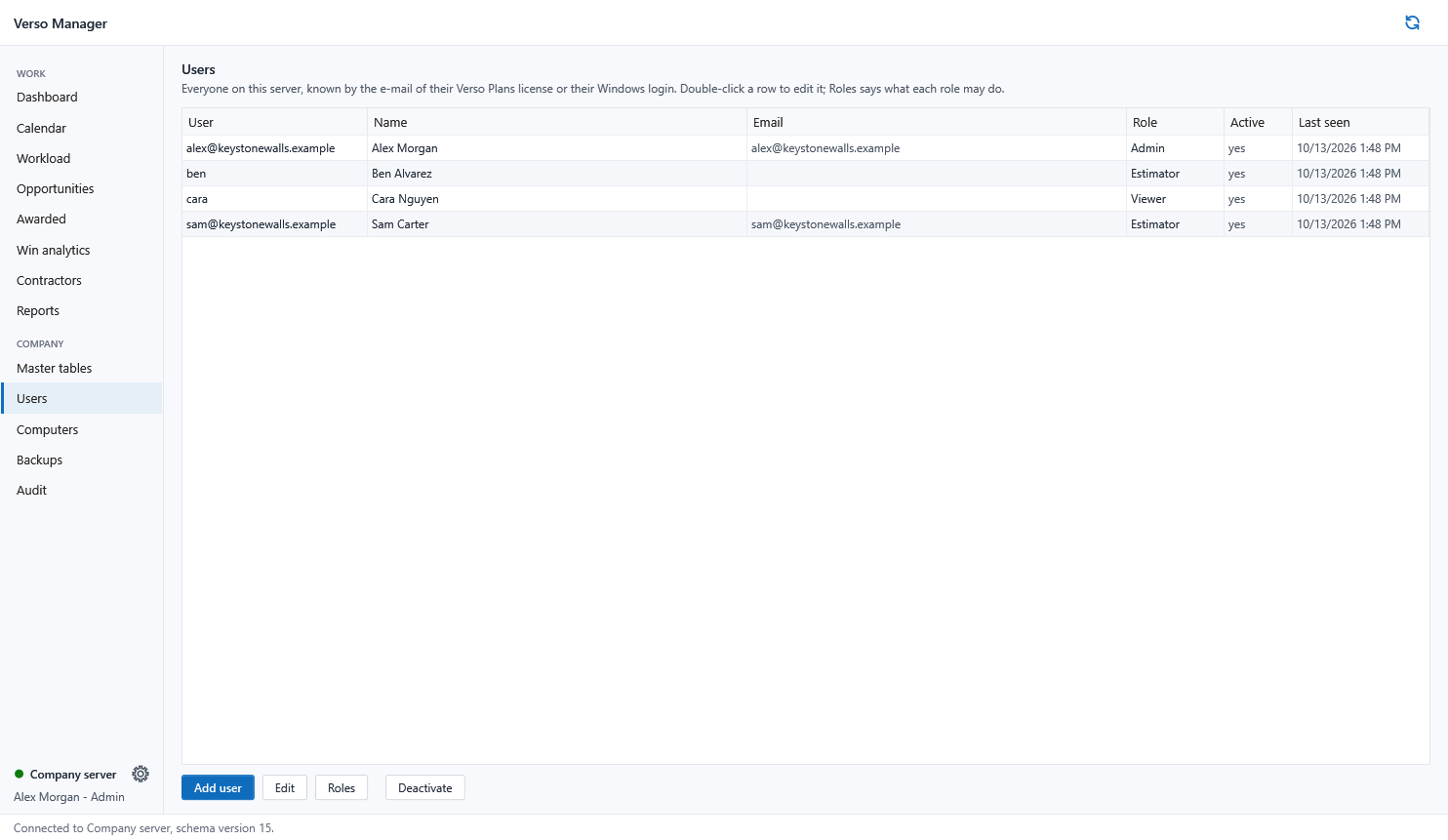
- Users: add each estimator by the e-mail on their Verso Plans licence, with a role. Their Plans finds the server from Settings, Company server, with the same names.
- Master tables: publish this computer's items, crews and rates once; every desk adopts them at its next sync.
Bringing in a new opportunity
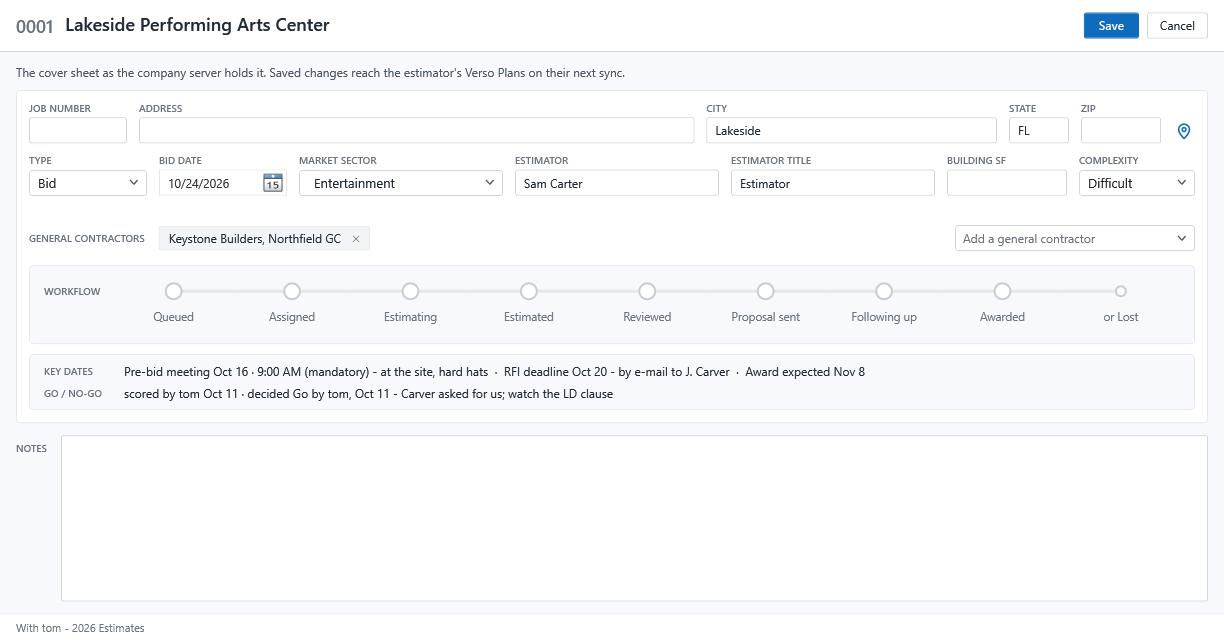
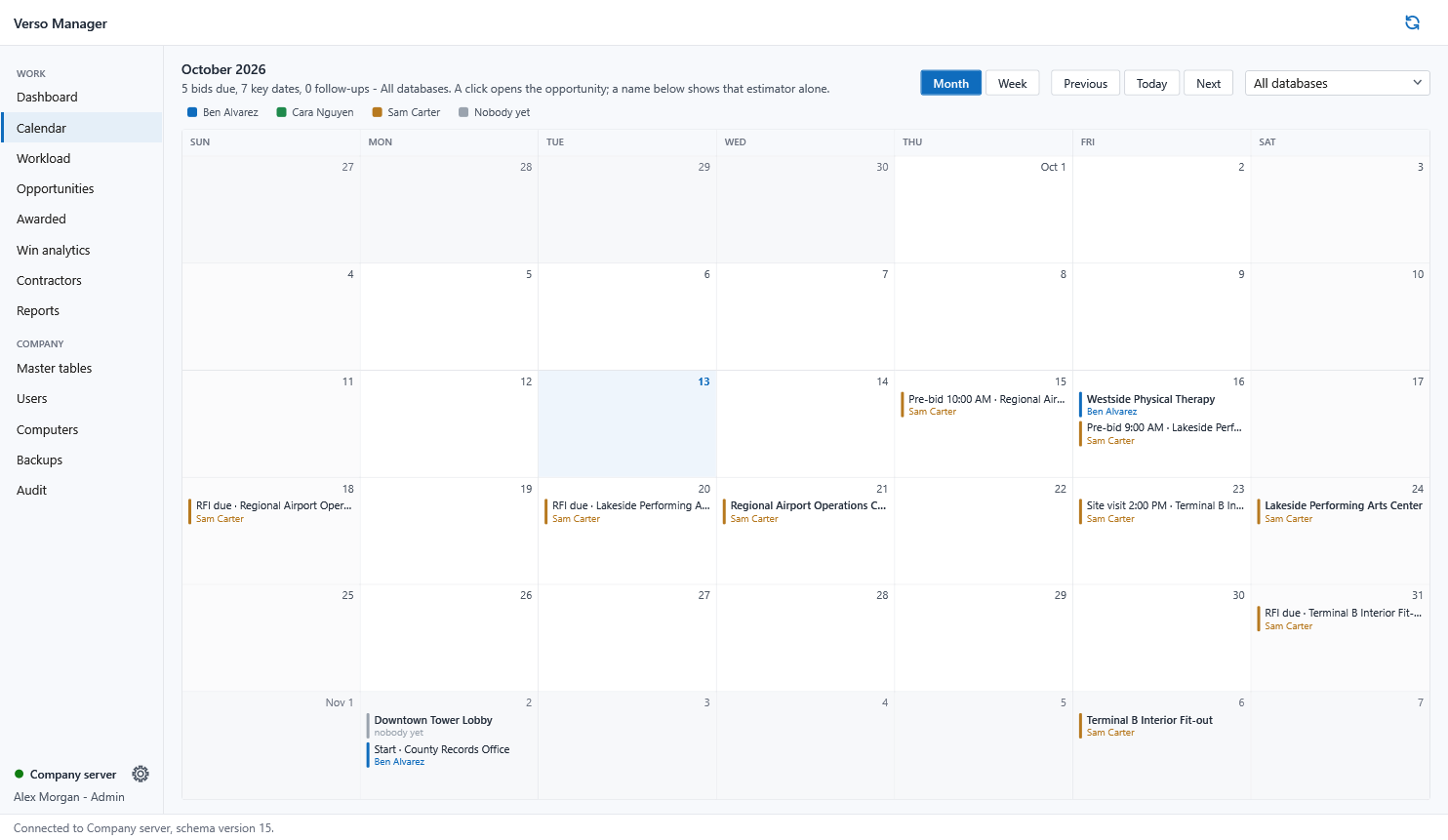
Opportunities, New opportunity: the cover with the contractor, the bid date and the key dates. It sits in the pool with no estimator until you assign it; the Dashboard counts it under To be assigned and the Calendar shows its dates.
Assigning
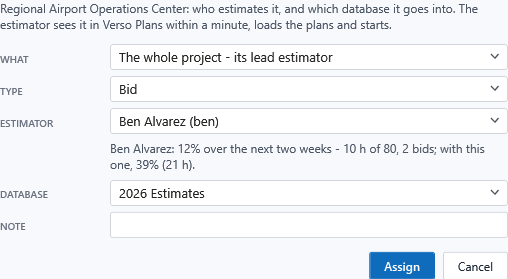
Pick the project, Assign to: the estimator, with their next two weeks in view; the database it goes into; the Type, decided now or left Undecided when deciding is part of the job. The workflow moves to Assigned and the estimator's Plans shows the hand-over within a minute. One bid of a project can go to a second estimator while the lead keeps the rest.
Proposals, follow-ups and outcomes
Every proposal an estimator sends is filed here with its revision, its figures and the contractor; follow-ups are dated on the opportunity. Record the outcome, won or lost and at what price, and Win analytics and the Contractors page learn from it.
Awarding and production
On the opportunity, Award: the sold bid, the contract, the contractor, who runs the job, a note. The sold version is frozen by its file in the store, the job cost is kept line by line, and the project manager receives the production copy, a full open copy of the sold bid, in their Verso Plans. Awarded without a project manager, Hand to production on the Awarded page does it later. Price again re-reads the sold file after the master tables change.
Backups and restoring
Every push from every Verso Plans leaves the takeoff file in the store under its own hash, so the Backups page is the backup of every bid, version by version. Restore to sends any version to any estimator as a bid of its own; Download latest saves it here.
Roles
Admin sets up the server and the users. Chief estimator assigns, awards and pulls every project. Estimator pulls what is assigned to them. Viewer sees the pages and changes nothing. A role is changed on the Users page and applies at the person's next sync.
When an estimator needs help
Computers, Ask for a support file: their Verso Plans uploads it to the company file store on its next sync, with every password and key blanked, and Support files on the same page opens it. The Manager's own support file is under Settings, About.
Requirements
Windows 10 or 11, 64-bit, on the office computer. SQL Server 2016 or later, Express included, or Azure SQL; a shared folder or an Azure storage container for the files. One Manager licence per company, $1,995 bought once; free with five or more Verso Plans seats, half price with three.