 Verso Suite
 Verso Plans
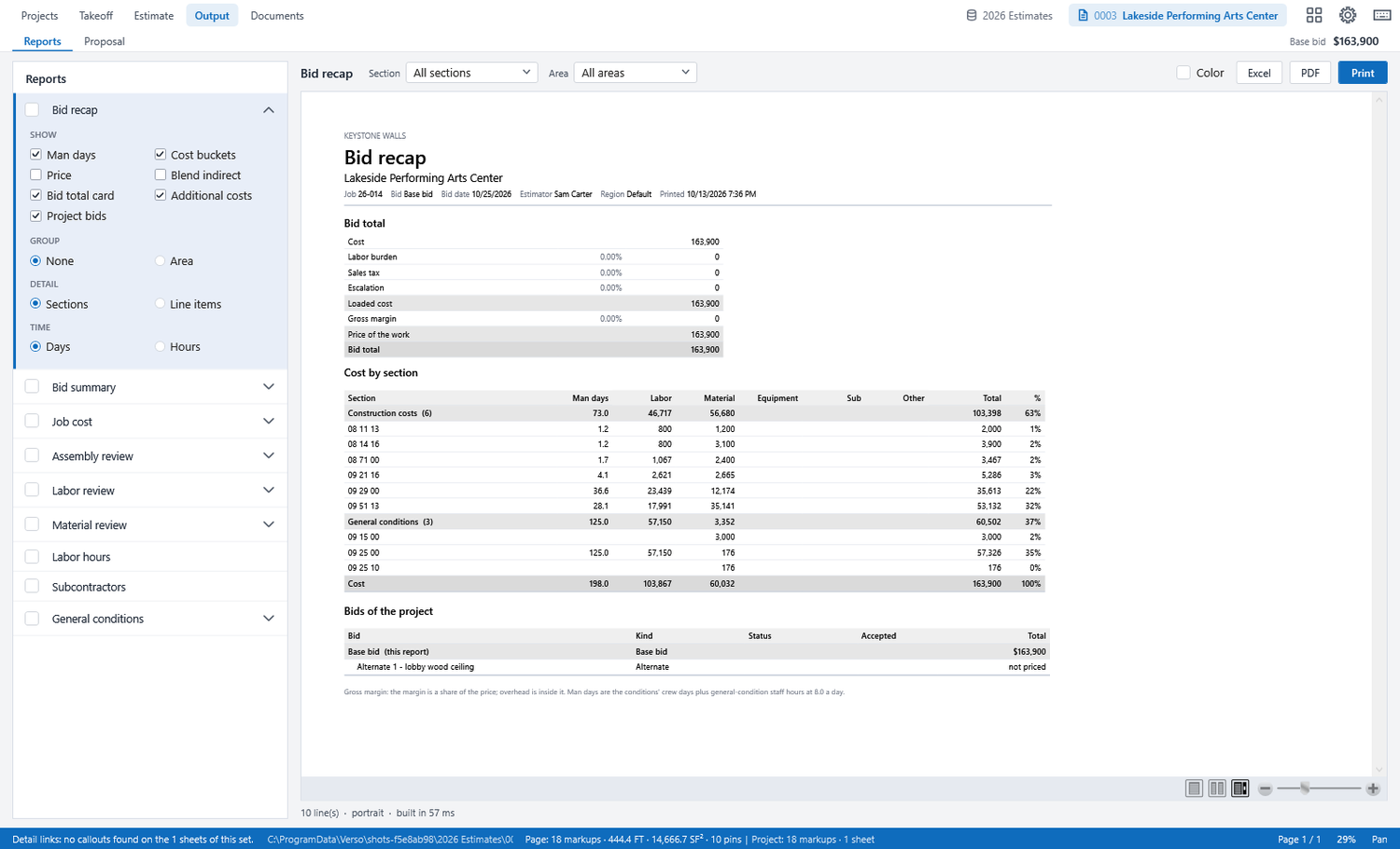
PDF takeoff, estimating and proposals for the estimator's deskVerso Plans in three minutes: a new bid, the plans, the takeoff, the model and audit, the estimate pages, output and documents.
WHAT IT DOES
- Plan sets of a thousand sheets open folded and stay fast; revisions are added as sets, never over the old ones.
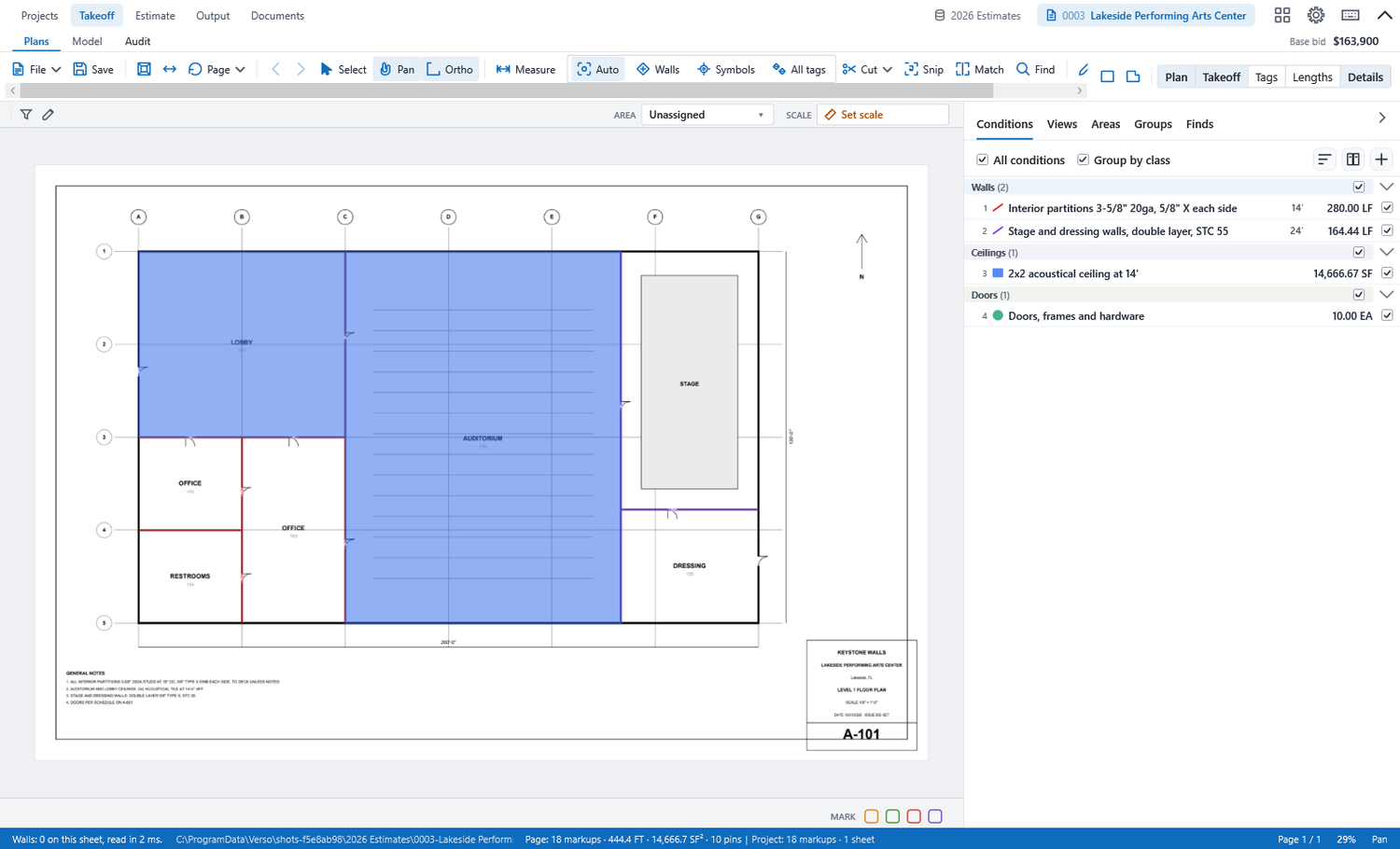
- Takeoff by condition, with hover tools for walls and symbols; quantities come out in the units you buy and crew.
- The estimate priced from your own crew rates, quotes and general conditions, by area, with alternates and packages.
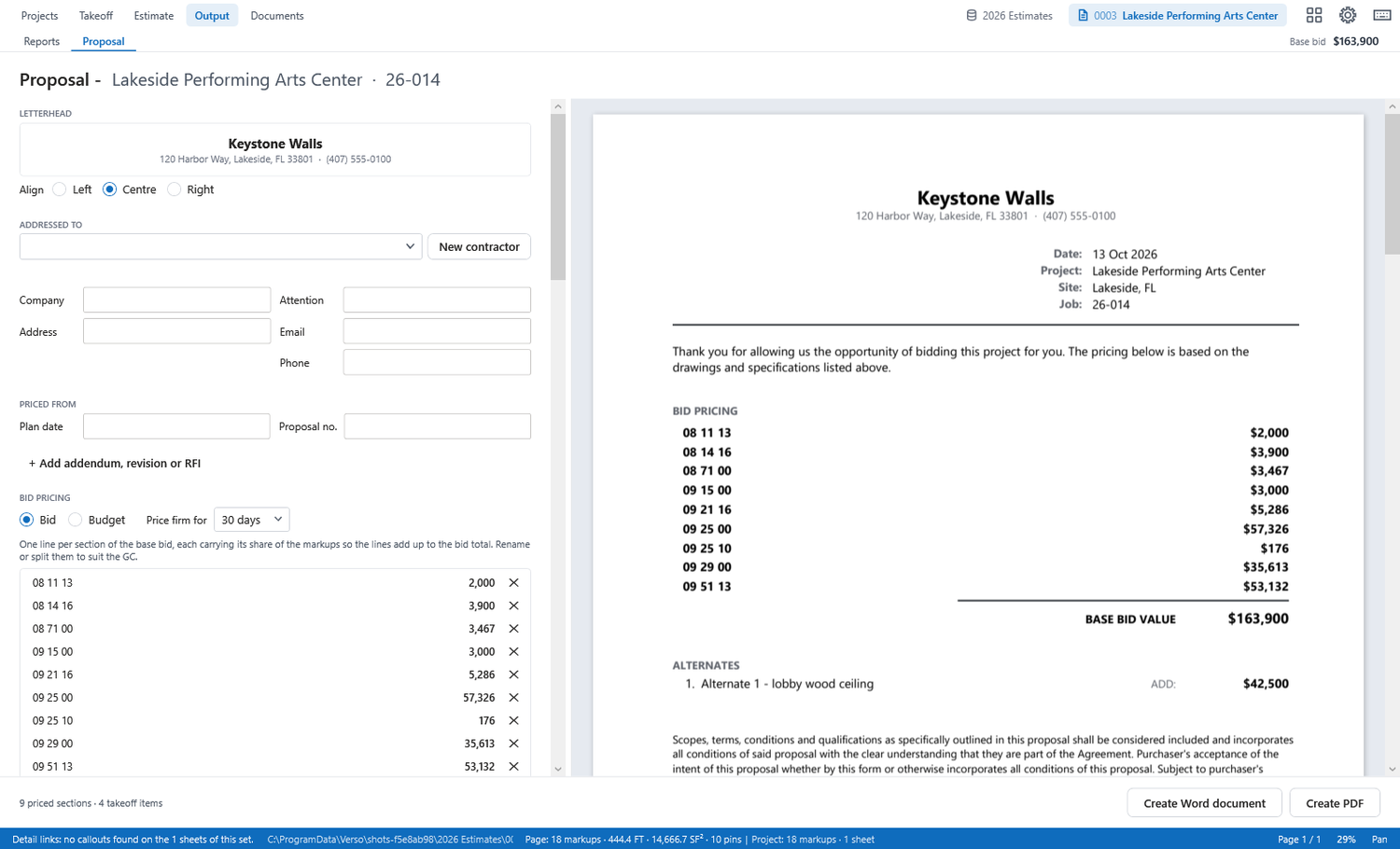
- Proposals that lock the bid when they go out, with every revision kept and the outcome recorded.
- Reports: recap, summary, job cost, labor, material, subs, general conditions; Excel and PDF; the Job Cost export in the BuzzBID layout.
ALONE OR WITH THE OFFICE
- Works with no server at all. Add a company server and it syncs the cover and the takeoff file after every save.
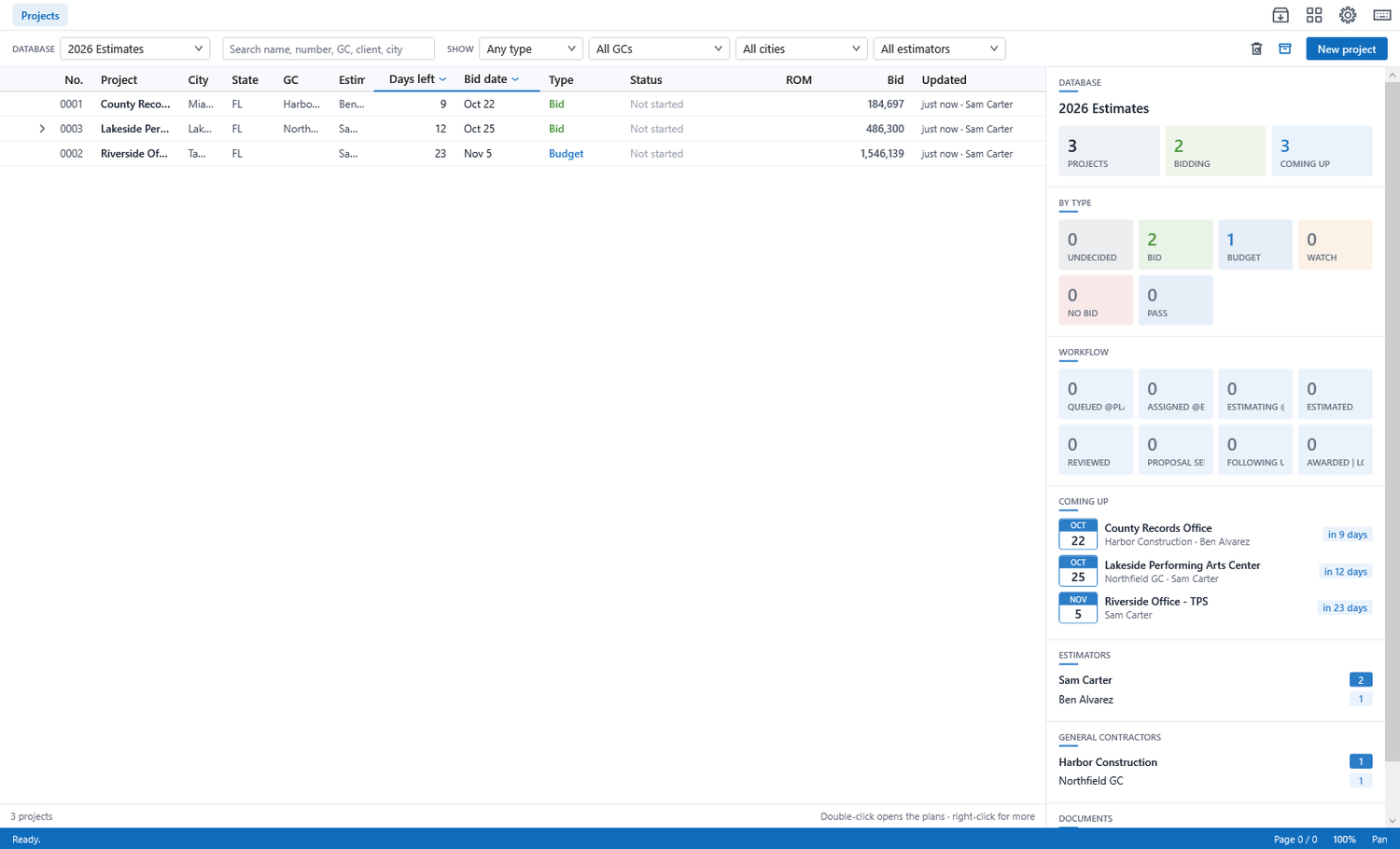
- Hand-overs land in the header as an amber chip that names who sent the job.
- Award and hand to production from the bid menu, for a shop with no project manager.
SCREENSHOTS

HELP
Starting a bid
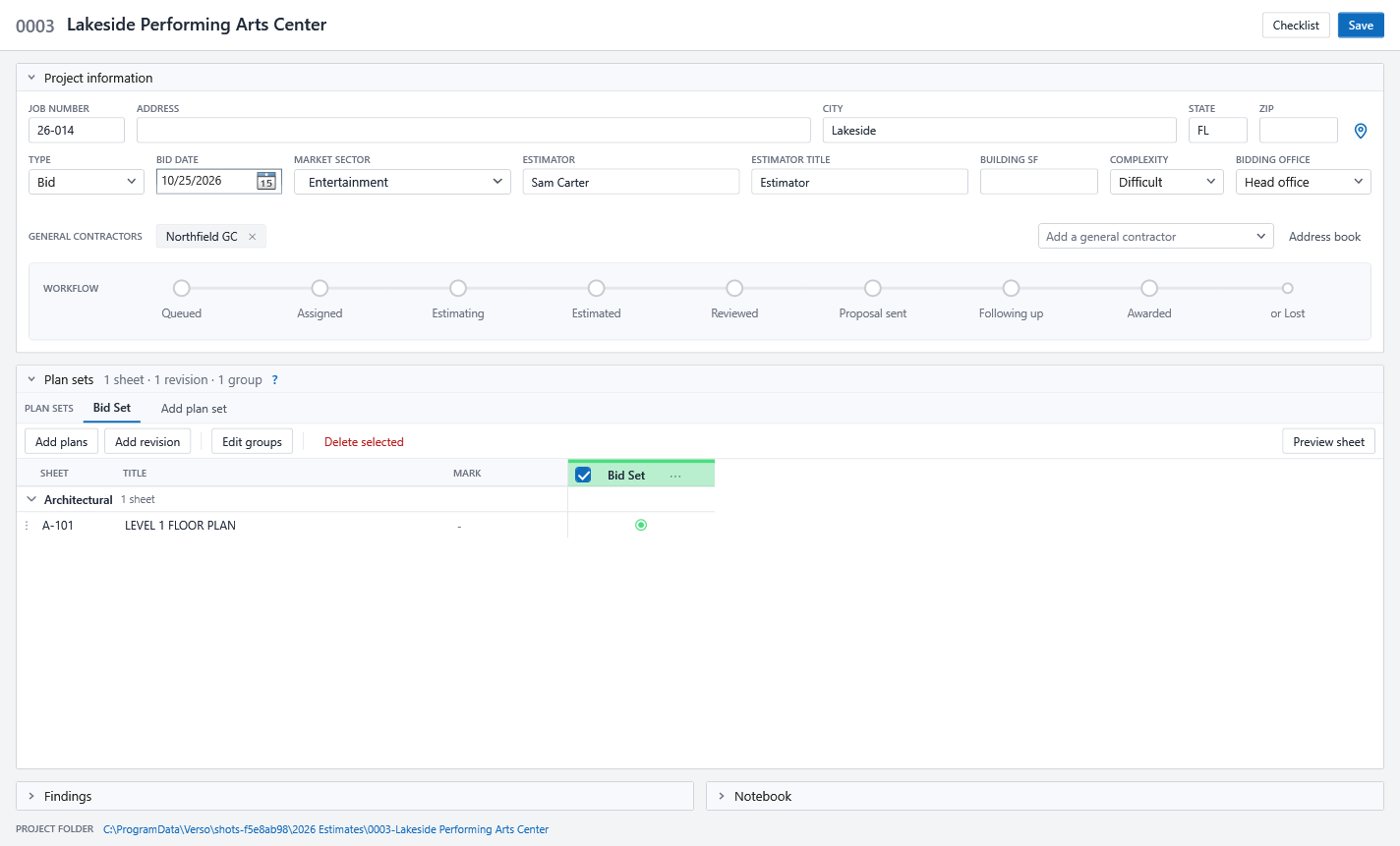
- New project on the Projects page: name, city, contractor, bid date. The cover page opens.
- Add plans: a folder or a PDF. Sheets are named from their title blocks and grouped; a later revision is added as a set.
- Open plans, pick a condition, draw. Walls snap to the drawing; counts go on symbols. Quantities land on the Estimate page as you go.
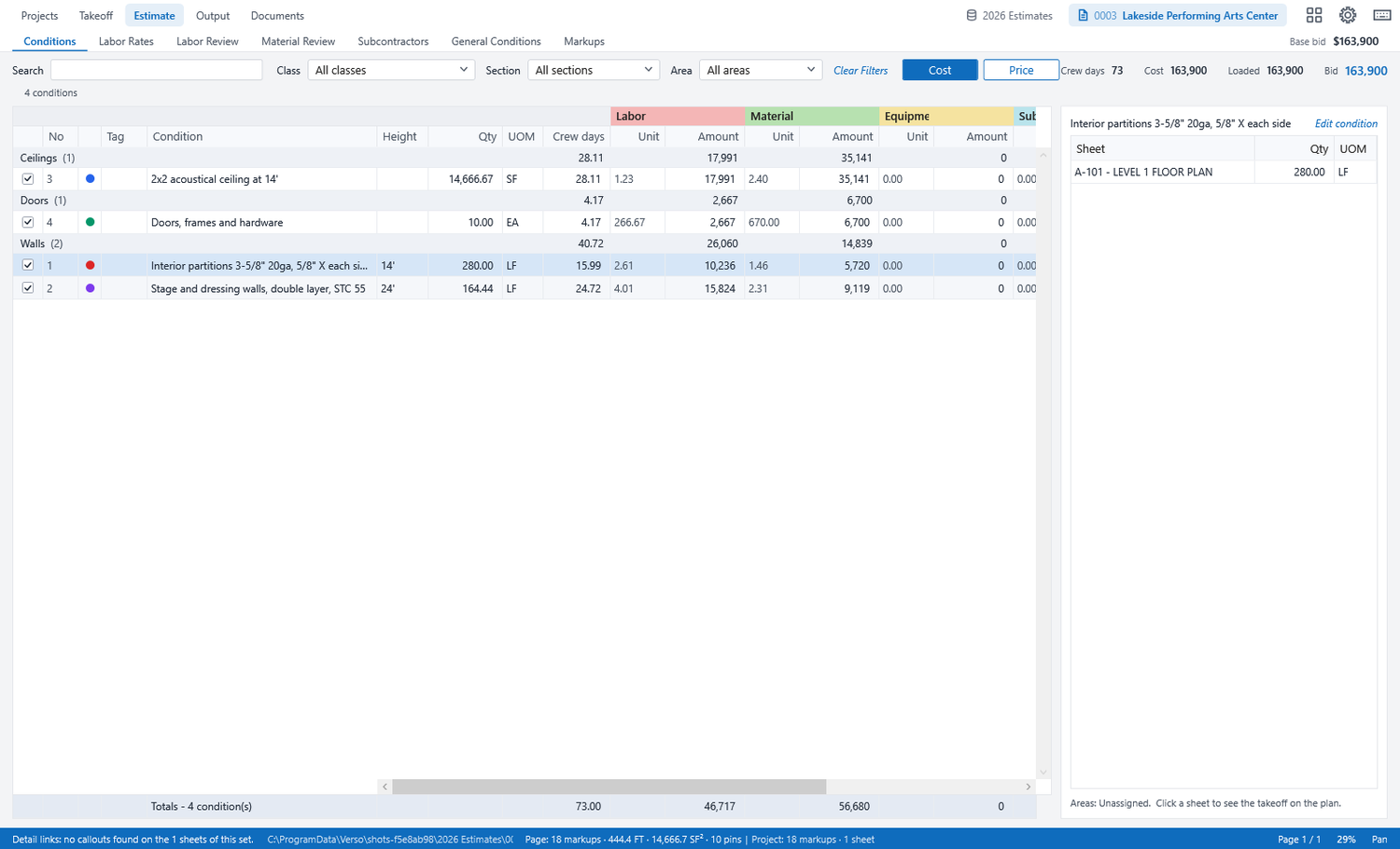
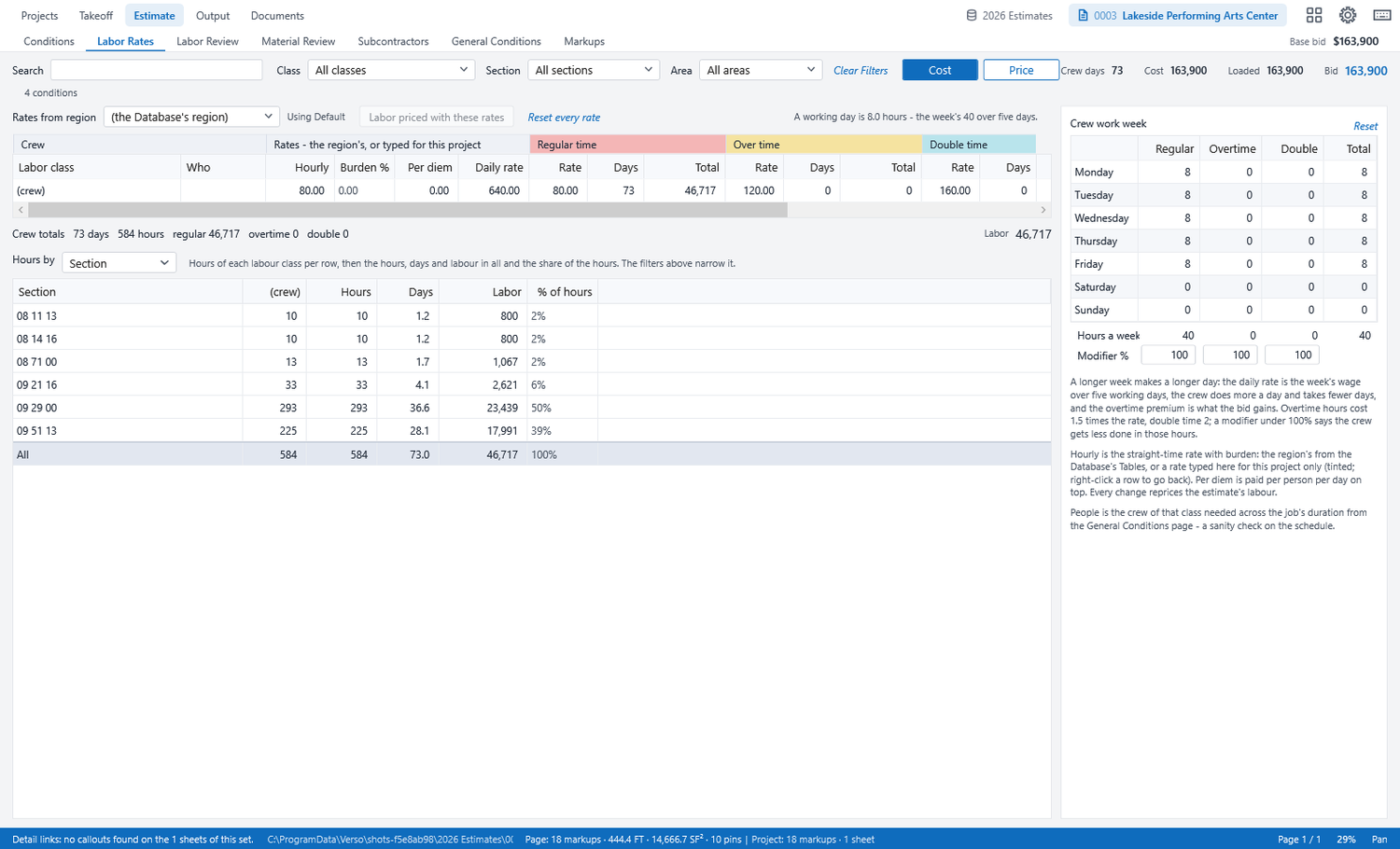
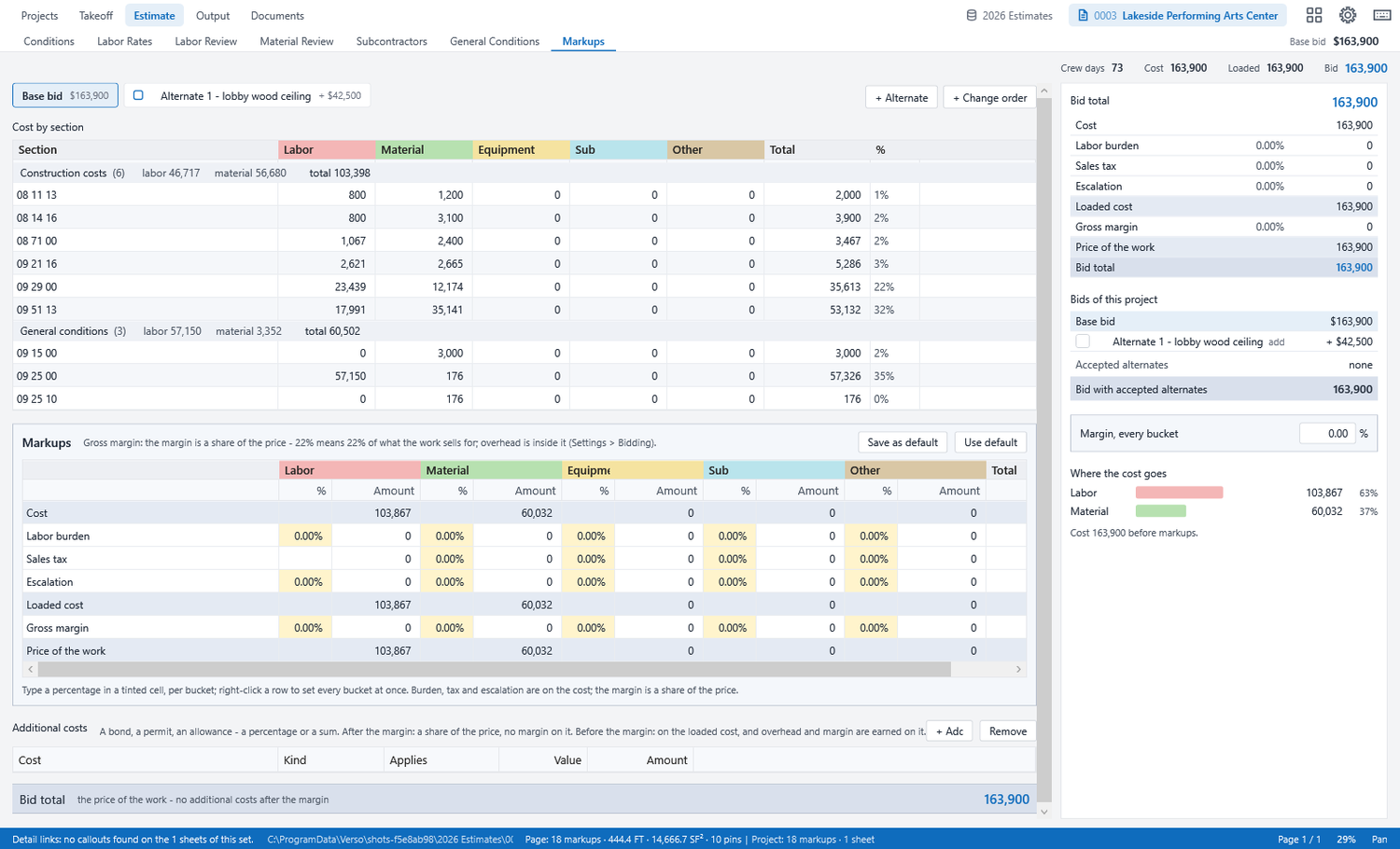
- On the Estimate page, price by area: your crew rates, quotes, general conditions, markups. Alternates and packages are bids of their own under the base bid.
- Proposal: write it, send it. The bid locks; Reopen from the bid menu when the contractor asks for a change, with a reason that stays on the record.
Conditions and the database
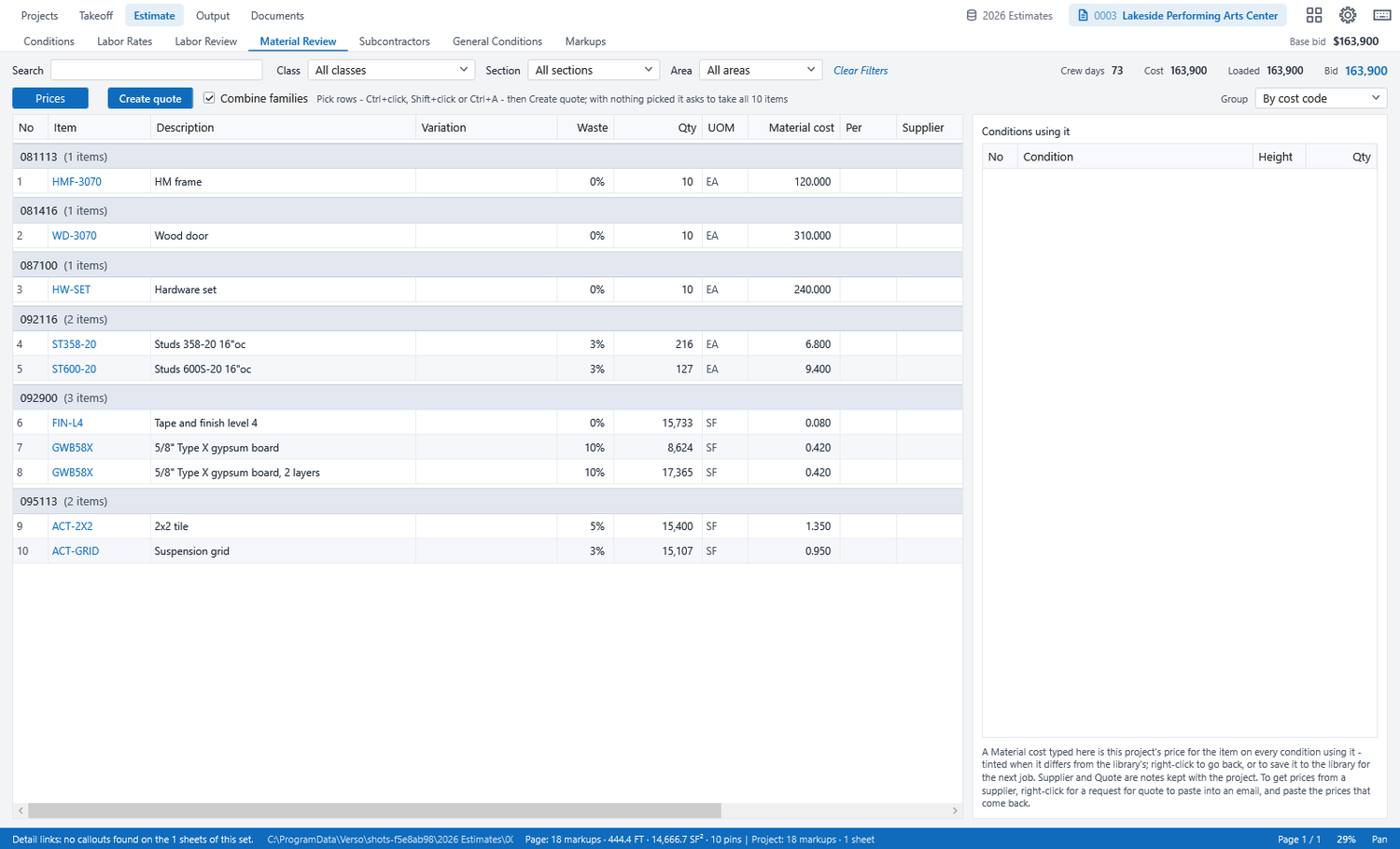
A condition is a wall type, a ceiling, a finish: what it is made of and how it is priced. The database holds your items, crews and rates; the office publishes master tables once and every desk adopts them. Items carry a family, so quotes fold variations of one product into one line.
Model and Audit
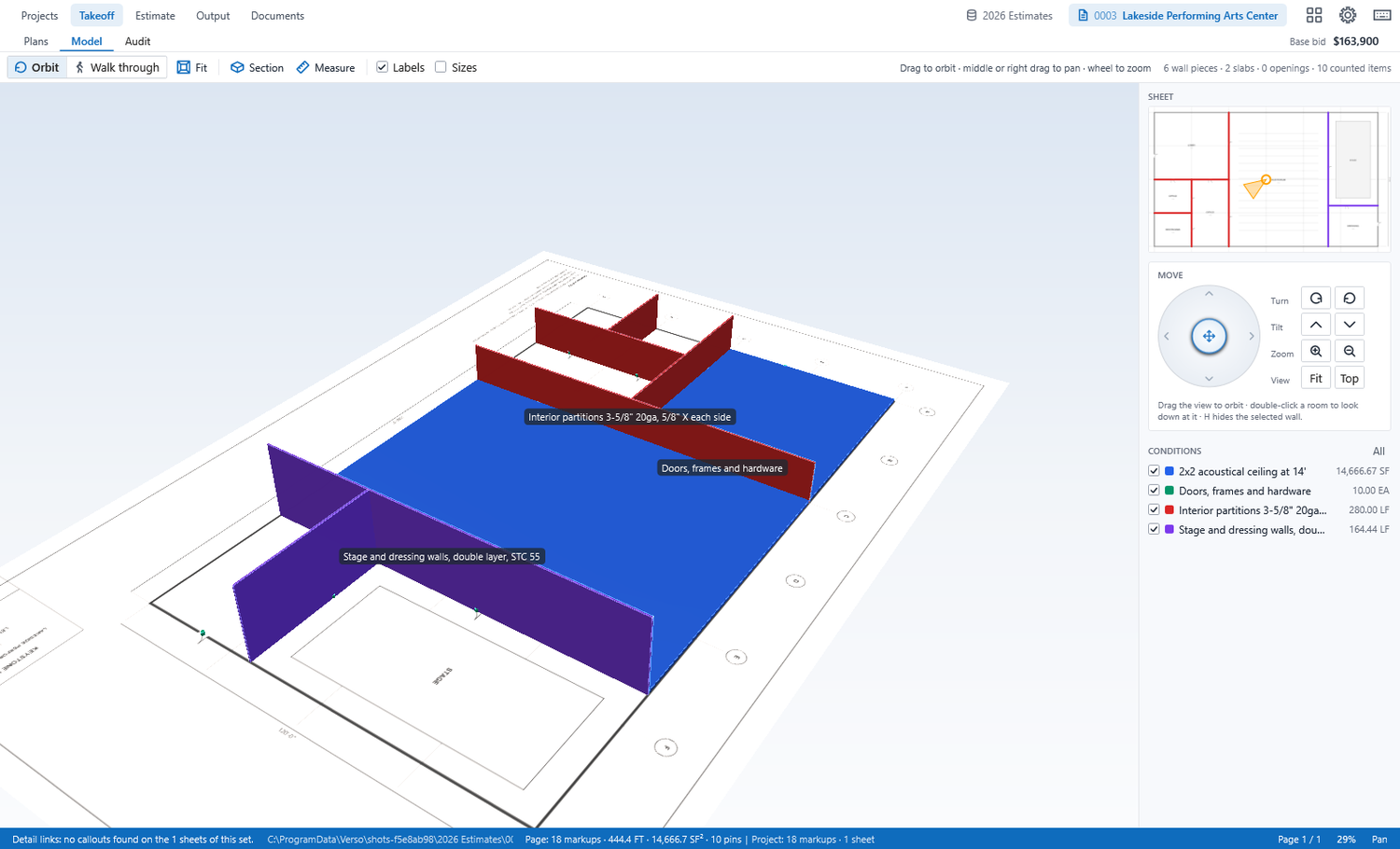
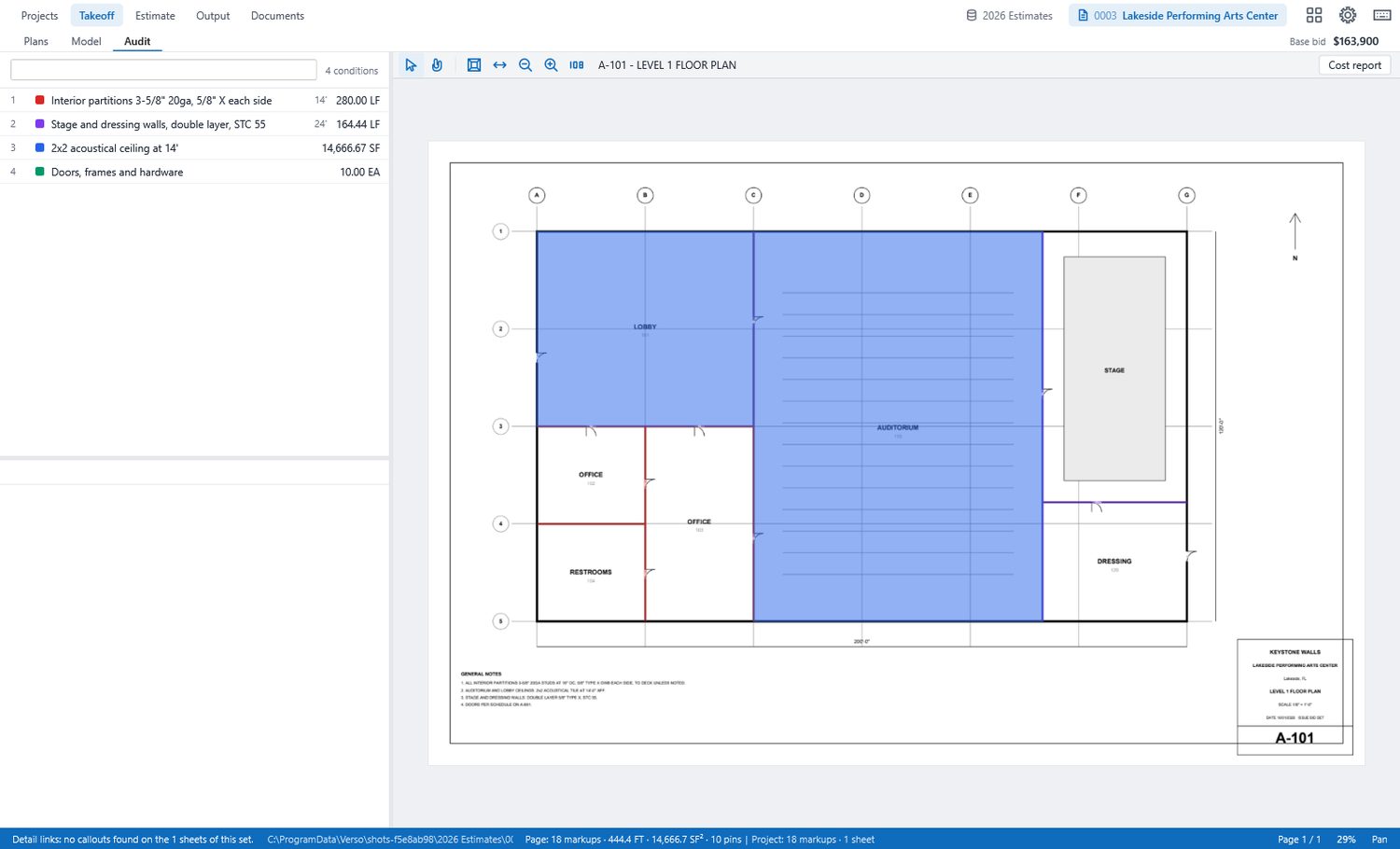
Model stands the takeoff up from the sheet, every wall at its height, so a missed room or a wrong height shows before it is priced. Audit lists every condition and where it is drawn, sheet by sheet; pick one and the plan shows what is counted.
Revisions and locks
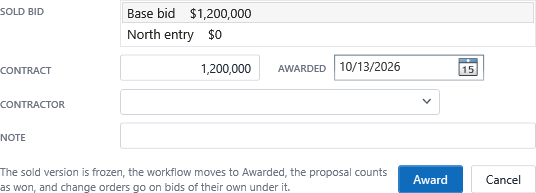
Sending a proposal locks the bid: the takeoff and estimate are read-only until you reopen it. Every lock and reopen is kept with the total at that moment, so a revised proposal can say what changed. The award freezes the sold version for good.
Alternates, packages and change orders
From the bid menu: an alternate is priced as an add or a deduct and listed with the proposal; a package is part of the job priced apart, by you or a colleague, and merged back; a change order is work after the award, priced at the change order rates with no margin and empty general conditions.
The company server
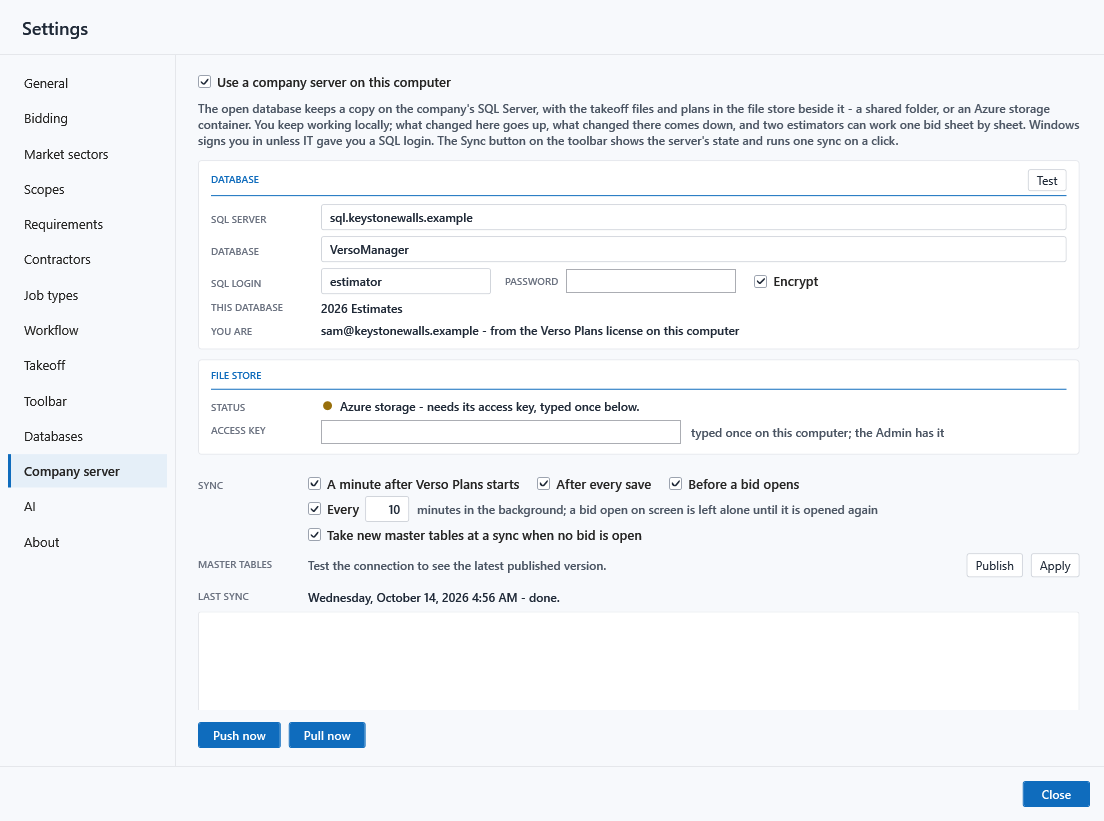
Settings, Company server: the SQL Server the office named and, for the files, a shared folder or an Azure container. Press Test; a green light means both answer. From then on every save pushes the cover and the takeoff file, and every minute pulls what the office changed. Nothing on the server is ever deleted by Verso Plans.
When a job is handed to you
An amber chip appears in the header at the next sync, naming who handed it over. Click it to open the job; the Projects row stays marked until you do. A bid of someone else's project handed to you shows the same way.
Awarding and handing to production
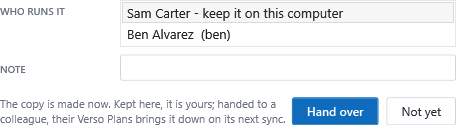
Bid menu, Award the job: the sold bid, the contract, the contractor, a note. Then Hand to production: a full open copy of the sold bid for buyout and savings, kept on this computer or handed to a colleague. The sold version stays frozen. With a company server, the Manager's Awarded page and Verso Build see it at once.
When something is wrong
Settings, About, Save a support file. It holds settings and logs with every password and key blanked; send it to support@versosuite.com with a line on what happened. Check and repair, under the Projects page, accounts for every project and file on the computer.
Requirements
Windows 10 or 11, 64-bit. A licence key from deselt.com; the 30-day trial needs no card. A company server is optional: SQL Server 2016 or later in the office, or Azure SQL, with a shared folder or an Azure storage container for the files.